Mothering Sunday is just over a week away and if you are anything like me, you are probably a little under prepared! I’ve got a few things sorted but mine and Steve’s mums are really hard to buy for so who knows what we will be getting them! However here are a few ideas that may tickle your fancy..
Cards are a given and flowers always work. I was approached by both Inkly and Appleyard London, a flower delivery service who have a great range of Mother’s Day Flowers.
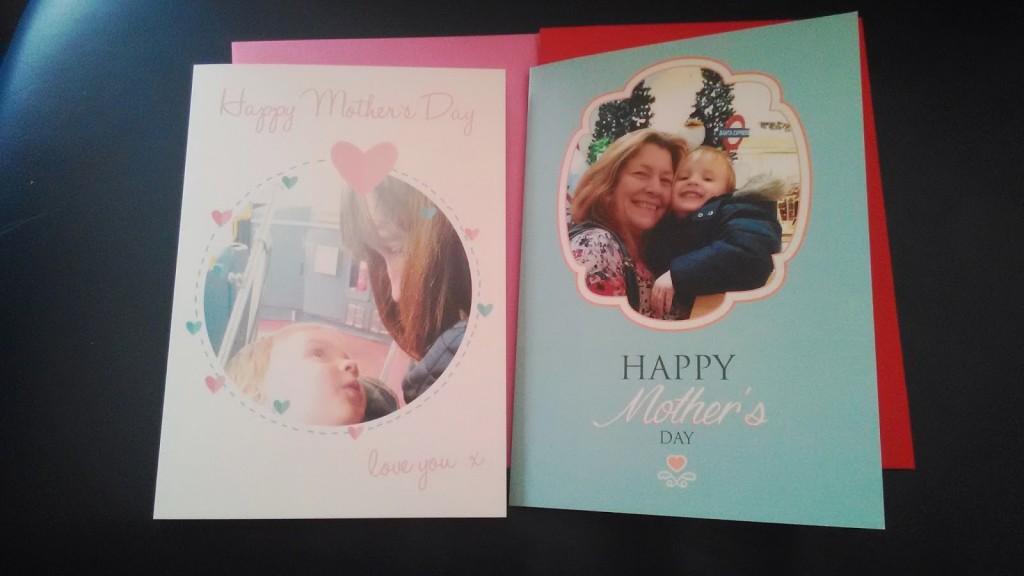
My mother is yet to receive her card that I designed with Inkly but she was very impressed with her flowers that arrived a couple of weeks ago (although her photography leaves a lot to be desired!). I chose the Lilac Blossom bouquet and my Mum really was chuffed – she doesn’t get flowers much throughout the year but with her birthday, Valentines Day and Mother’s Day all in quick succession she had been receiving quite a few!
I was very impressed with the flowers myself when I got a chance to see them – I don’t live with her anymore so don’t see her everyday. They lasted for around 7-10 days so in order to receive them in time for Mother’s Day, definitely order early this week to ensure you get the best out of them. Use the code BLOG40 to get 40% off if you do!
~ ~ ~
Inkly are another great brand for a special Mothers Day this year. We all know the bricks and mortar card shops such as Clintons and Card Factory. We’ve all heard of Moonpig and Funky Pigeon. But using technology to its advances and capitalising on our love of apps, Inkly is a card designing service where you can order your cards quickly and simply through an app on your phone.
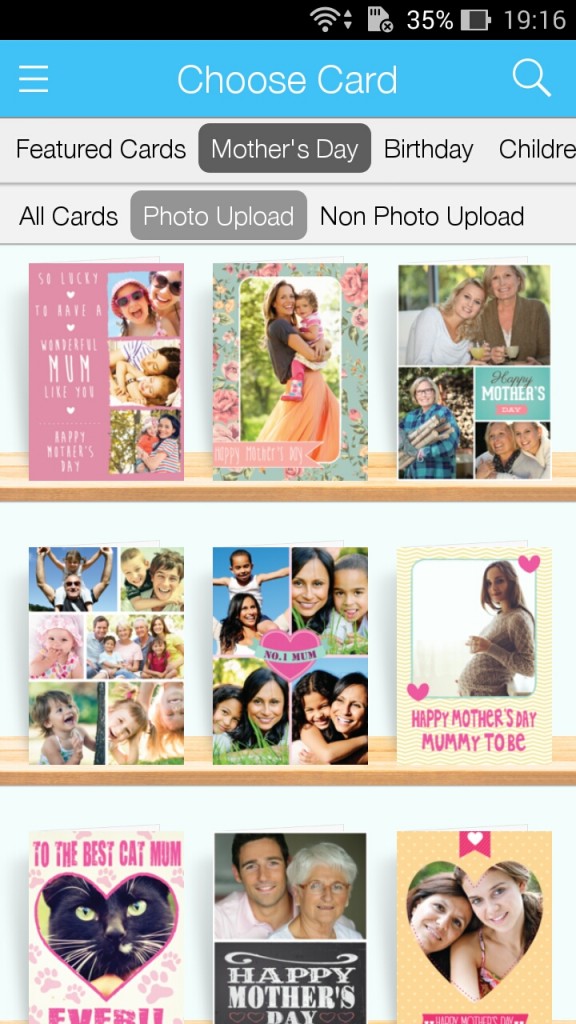
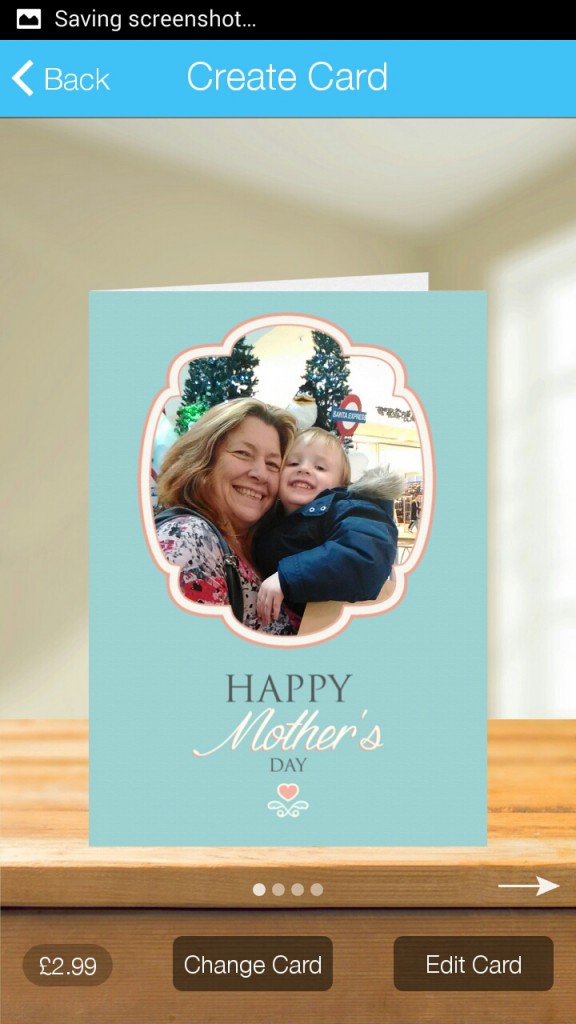
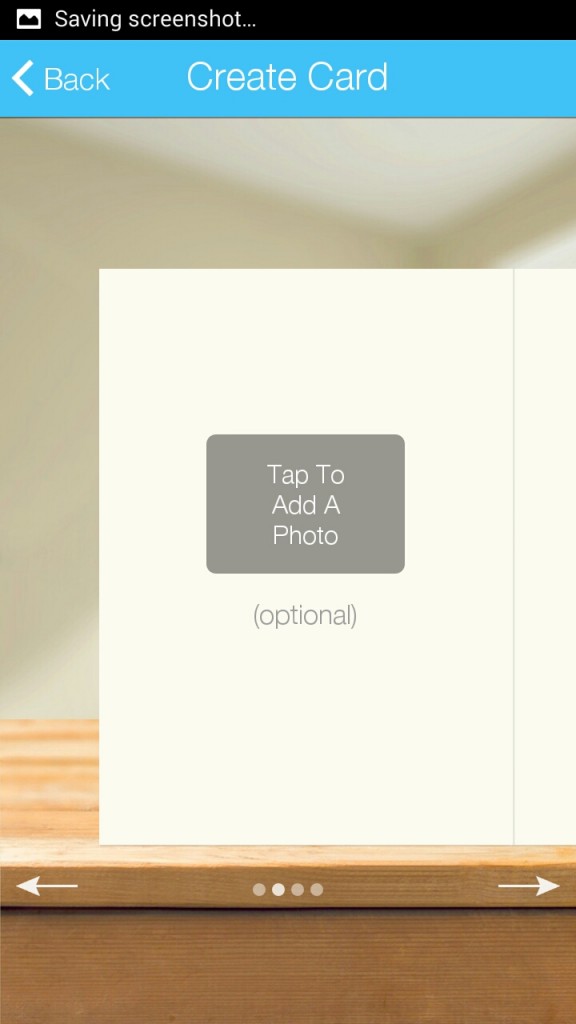
Below is the step by step procedure I took to create my cards for Mothers Day:
First of all, you pick your choice of card. You are given a choice of different occasions or for different people, then you can pick from all cards or specifically photo or non photo upload. I chose photo upload in the Mother’s Day section.
I then chose my design and added a photo to the front.
You are then invited to add a photo to the inside cover although you don’t have to. I decided to for one card and not for the other.
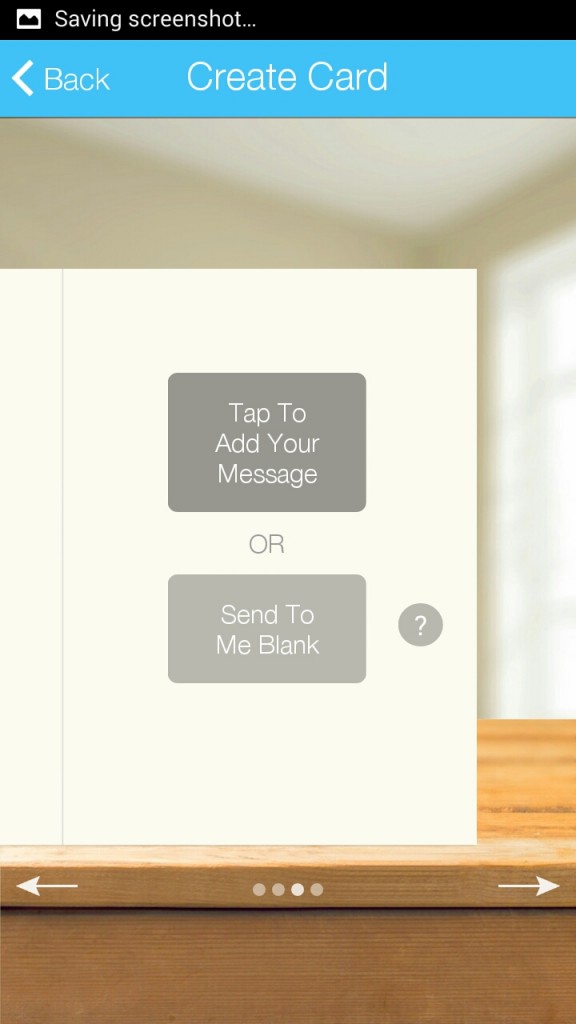
The next section gives you the opportunity to tap to add your message or to send to you blank. I chose to send blank for both but it is worth noting that when you tap to add your message, there is also the option to write a handwritten message that is then printed on i.e. using your finger or stylus to resemble your everyday handwriting.
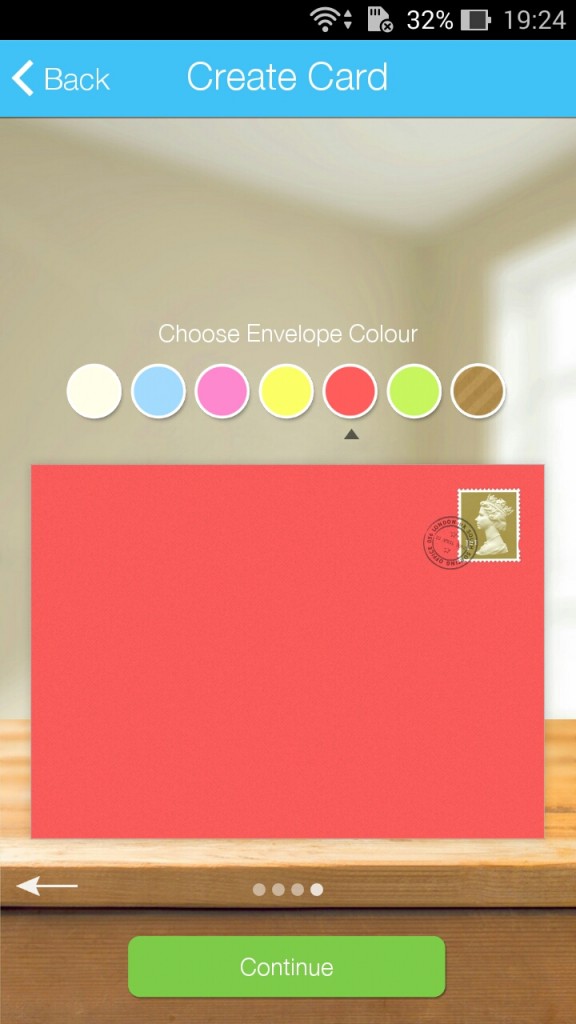
A great touch is the option to choose your envelope colour. Mother’s Day cards in the shop tend to be very pink so it is nice to be able to choose a colour more fitting to the person you are sending it to.
Once done, you can click continue, check your card and then input your payment details. It really is as quick and simple as that and took me around 10 minutes overall to do both. If the cards are being sent to the person directly, I assume they go straight in the coloured envelope you choose however if they are sent to you, they come in a slightly larger envelope with your card and chosen envelope held within – a great idea.
Have you started your Mother’s Day shopping yet or do you leave it to the last minute like me?
Items sent for review/promotional codes given for review purposes
2 thoughts on “Make Your Mother’s Day With These Fab Ideas”
I'm so under prepared for it! I was going along thinking I had weeks, and then suddenly it's only one week. I do this every time! I've been debating flowers but my mum's so hard to buy for!
Normally Mother's Day sneaks up on me, so I'm unprepared. But this year I've got my mums gift sorted, I've made a photo book for her. Rubi | The Den | http://www.the-den.blogspot.com

I'm so under prepared for it! I was going along thinking I had weeks, and then suddenly it's only one week. I do this every time! I've been debating flowers but my mum's so hard to buy for!
Maxine, xo
http://maxinewhitneyy.blogspot.co.uk
Normally Mother's Day sneaks up on me, so I'm unprepared. But this year I've got my mums gift sorted, I've made a photo book for her.
Rubi | The Den | http://www.the-den.blogspot.com